Match the model before the code
Keep the full model number, the exact display, and what the appliance was doing when the message appeared. Codes can mean different things across models.
Scope: Intake; not a diagnostic lookup
Appliance display codes
Browse common washer, dryer, dishwasher, refrigerator, ice maker, oven, range, and microwave error codes by appliance and brand. Learn what a code may indicate, what you can safely check, and when professional diagnosis is recommended.
Error-code meanings can vary by model and product generation. Use the information below as a starting point, and check the model number for the most accurate diagnosis.
Find a code below, then check its model scope. You can also use Find on Page.
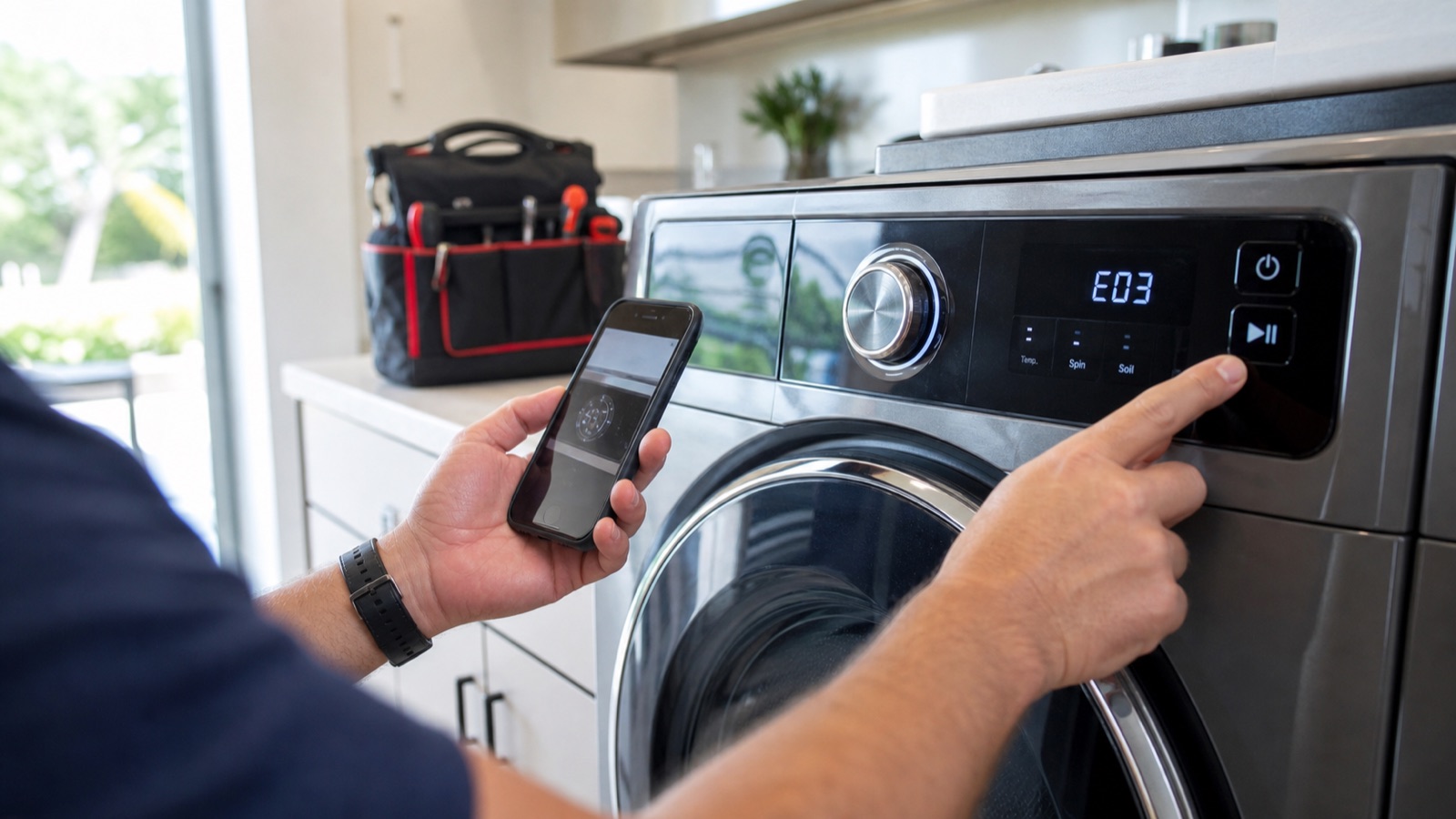
Appliance list
Enter the code as displayed, including uppercase and lowercase letters. Add a brand or appliance to narrow the results. Similar codes can have different meanings.
57 of 57 codes match.
The linked card or section is also shown outside your filters. Clear filters to browse the full catalog.
No matching code found. Check the brand and appliance type, or send us the model number.
Request serviceWasher
Washer error codes commonly point to drain, fill, door-lock, balance, motor, sensor, or control problems. Code meanings vary by model, so confirm the model number before ordering parts.
General guidance; model confirmation needed. A US OEM support source is available; a complete model/series match has not been established. Source review: . This is not a diagnosis.
On supported Whirlpool-family washers, this code means the washer is not detecting enough incoming water within the expected fill time.
Model scope: Whirlpool-family top-load and front-load washers that use F8 E1, LF, or Lo FL fill codes.
Source: Whirlpool Product Help - Top Load HE Washer Error Codes
General guidance; model confirmation needed. A US OEM support source is available; a complete model/series match has not been established. Source review: . This is not a diagnosis.
On supported Whirlpool-family washers, this code means the washer is not draining within the expected time.
Model scope: Whirlpool-family washers that use F9 E1, drn, or long-drain alerts.
Source: Whirlpool Product Help - Front Load Washer Error Codes
General guidance; model confirmation needed. A US OEM support source is available; a complete model/series match has not been established. Source review: . This is not a diagnosis.
Whirlpool’s front-load washer guidance associates F5 E2 with the door not locking properly; it is not a universal unlocking code.
Model scope: Whirlpool front-load F5 E2 guidance. Confirm the exact model manual; other Whirlpool-family brands are not automatically covered.
Source: Whirlpool Product Help - Front Load Washer Error Codes
General guidance; model confirmation needed. A US OEM support source is available; a complete model/series match has not been established. Source review: . This is not a diagnosis.
On supported Samsung washers, these codes indicate the washer is not receiving the expected water supply.
Model scope: Samsung washer models using 4C, 4E, or nF water-supply codes.
Source: Samsung US Support - Washing Machine Information and Error Codes
General guidance; model confirmation needed. A US OEM support source is available; a complete model/series match has not been established. Source review: . This is not a diagnosis.
On supported Samsung washers, these codes indicate the washer is not draining correctly.
Model scope: Samsung washer models using 5C, 5E, SE, or nd drain codes.
Source: Samsung US Support - Washing Machine Information and Error Codes
Model or meaning confirmation needed. A US OEM support source is available; a complete model/series match has not been established. Source review: . This is not a diagnosis.
Samsung’s US guide lists dC with door errors on some models and with unbalanced-load errors on others. The model, not letter case alone, determines the meaning. dE is listed among door errors.
Model scope: Samsung US washer guidance; dC/dc is model-dependent and is not a universal door diagnosis.
Source: Samsung US Support - Washing Machine Information and Error Codes
Model or meaning confirmation needed. A US OEM support source is available; a complete model/series match has not been established. Source review: . This is not a diagnosis.
Samsung lists Ub, UE, Ur and dc among unbalanced-load codes. It also warns that dc can be a door error on some models. A lowercase display alone does not distinguish the condition. Ur may indicate the washer is attempting to rebalance the load rather than a failed part.
Model scope: Samsung US washer guidance. dC/dc can describe imbalance or a door condition depending on the model.
Source: Samsung US Support - Washing Machine Information and Error Codes
Model or meaning confirmation needed. A US OEM support source is available; a complete model/series match has not been established. Source review: . This is not a diagnosis.
Samsung’s US guide lists 3C and 3E among motor errors, but also identifies 3E as a voltage error on some models. Confirm the model manual before using either interpretation.
Model scope: Samsung US washer guidance; 3E is explicitly model-dependent (motor or voltage).
Source: Samsung US Support - Washing Machine Information and Error Codes
General guidance; model confirmation needed. A US OEM support source is available; a complete model/series match has not been established. Source review: . This is not a diagnosis.
On supported LG washers, OE indicates a drainage issue.
Model scope: LG front-load and top-load washers that display OE or outlet/drain errors.
General guidance; model confirmation needed. A US OEM support source is available; a complete model/series match has not been established. Source review: . This is not a diagnosis.
On supported LG washers, IE indicates water is not entering as expected.
Model scope: LG washers that display IE or inlet errors.
General guidance; model confirmation needed. A US OEM support source is available; a complete model/series match has not been established. Source review: . This is not a diagnosis.
LG’s US front-load guide describes UE as an unbalanced-load condition. The uE and Ub variants require their own model documentation; they are not confirmed as interchangeable for every model here.
Model scope: UE is described in LG US front-load guidance. uE, Ub and top-load applicability remain model-specific.
General guidance; model confirmation needed. A US OEM support source is available; a complete model/series match has not been established. Source review: . This is not a diagnosis.
On supported LG washers, these codes indicate a door closing, latch, or lock issue.
Model scope: LG washers that display dE, dE1, dE2, or related door errors.
Model or meaning confirmation needed. A US OEM support source is available; a complete model/series match has not been established. Source review: . This is not a diagnosis.
These codes are not interchangeable. LG’s US front-load guide describes LE as a rotation or motor-lock condition and AE as a possible internal leak. LE1 applicability has not been confirmed for the same model family.
Model scope: LG US front-load guidance distinguishes LE from AE. LE1 and other model families require their own documentation.
Dryer
Dryer codes often relate to airflow, voltage, temperature sensors, door sensing, stuck buttons, or heating limits. Clear lint and airflow issues first, but leave electrical and gas diagnosis to a qualified technician.
General guidance; model confirmation needed. A US OEM support source is available; a complete model/series match has not been established. Source review: . This is not a diagnosis.
LG associates these alerts with restricted exhaust airflow on supported models. Its US guide also notes that d80 on some gas dryers can relate to gas supply. Confirm the model; the code alone does not prove a blocked vent.
Model scope: LG US dryer guidance; Flow Sense and d80/d90/d95 applicability, including the gas-model exception, must be checked for the exact model.
General guidance; model confirmation needed. A US OEM support source is available; a complete model/series match has not been established. Source review: . This is not a diagnosis.
On supported LG electric dryers, nP or PS can indicate a power-supply, voltage, or power-cord installation issue.
Model scope: LG electric dryers that display nP or PS power/voltage codes.
General guidance; model confirmation needed. A US OEM support source is available; a complete model/series match has not been established. Source review: . This is not a diagnosis.
On supported LG dryers, tE1 or tE3 indicates a problem detected with the dryer's thermistor temperature sensing.
Model scope: LG dryers that display tE1, tE3, or related thermistor codes.
General guidance; model confirmation needed. A US OEM support source is available; a complete model/series match has not been established. Source review: . This is not a diagnosis.
On supported LG dryers, PF commonly appears after a power outage or interruption.
Model scope: LG dryers that display PF after power interruption.
General guidance; model confirmation needed. The cited source covers Canada; applicability to US models is not confirmed. Source review: . This is not a diagnosis.
On supported Samsung dryers, these codes indicate a heating or overheating condition.
For a US appliance, use the steps below only if its own model manual lists this code and permits those checks. Otherwise, record the display and model number and request service. Do not open the cabinet or disconnect gas, electrical, or plumbing connections.
Model scope: Samsung dryers using HC, hE, HC4, or related heating codes.
General guidance; model confirmation needed. The cited source covers Canada; applicability to US models is not confirmed. Source review: . This is not a diagnosis.
On supported Samsung dryers, these codes indicate abnormal voltage or power supply conditions.
For a US appliance, use the steps below only if its own model manual lists this code and permits those checks. Otherwise, record the display and model number and request service. Do not open the cabinet or disconnect gas, electrical, or plumbing connections.
Model scope: Samsung electric dryers using 9C1, 9E, 2E, or voltage-related codes.
General guidance; model confirmation needed. The cited source covers Canada; applicability to US models is not confirmed. Source review: . This is not a diagnosis.
On supported Samsung dryers, temperature codes point to sensor or temperature-reading problems.
For a US appliance, use the steps below only if its own model manual lists this code and permits those checks. Otherwise, record the display and model number and request service. Do not open the cabinet or disconnect gas, electrical, or plumbing connections.
Model scope: Samsung dryers using tC, tE, tO, or related temperature codes.
General guidance; model confirmation needed. The cited source covers Canada; applicability to US models is not confirmed. Source review: . This is not a diagnosis.
On supported Samsung dryers, this code indicates the dryer does not detect the door as closed correctly.
For a US appliance, use the steps below only if its own model manual lists this code and permits those checks. Otherwise, record the display and model number and request service. Do not open the cabinet or disconnect gas, electrical, or plumbing connections.
Model scope: Samsung dryers that display dC, dE, or related door codes.
Dishwasher
Dishwasher codes usually involve water supply, drainage, leak protection, overfill, motor, heater, or sensor issues. Turn off water if a leak code appears or water is escaping.
General guidance; model confirmation needed. A US OEM support source is available; a complete model/series match has not been established. Source review: . This is not a diagnosis.
On supported LG dishwashers, AE/EI/FE can indicate water leakage, overfilling, or related protection behavior.
Model scope: LG dishwashers that display AE, EI, FE, or related leak/overfill codes.
General guidance; model confirmation needed. A US OEM support source is available; a complete model/series match has not been established. Source review: . This is not a diagnosis.
On supported LG dishwashers, IE indicates the tub is not filling with enough water.
Model scope: LG dishwashers that display IE inlet errors.
General guidance; model confirmation needed. A US OEM support source is available; a complete model/series match has not been established. Source review: . This is not a diagnosis.
On supported LG dishwashers, OE appears when the tub is not fully drained.
Model scope: LG dishwashers that display OE outlet/drain errors.
General guidance; model confirmation needed. A US OEM support source is available; a complete model/series match has not been established. Source review: . This is not a diagnosis.
On supported LG dishwashers, HE indicates water is not being heated as expected.
Model scope: LG dishwashers that display HE heater errors.
Model or meaning confirmation needed. A US OEM support source is available; a complete model/series match has not been established. Source review: . This is not a diagnosis.
LG’s US dishwasher guide describes LE as a motor-related condition. CE is not established by the cited current guide and must be checked against the exact model manual.
Model scope: LG US dishwasher guidance supports LE; CE applicability remains unresolved.
General guidance; model confirmation needed. A US OEM support source is available; a complete model/series match has not been established. Source review: . This is not a diagnosis.
On supported LG dishwashers, tE/TE indicates a temperature-sensor related issue.
Model scope: LG dishwashers that display tE/TE temperature-sensor codes.
General guidance; model confirmation needed. The cited source covers Caribbean/Latin EN; applicability to US models is not confirmed. Source review: . This is not a diagnosis.
On supported Samsung dishwashers, LC/LE indicates the leak sensor has detected water or a leak-related condition.
For a US appliance, use the steps below only if its own model manual lists this code and permits those checks. Otherwise, record the display and model number and request service. Do not open the cabinet or disconnect gas, electrical, or plumbing connections.
Model scope: Samsung dishwashers using LC or LE leakage-check codes.
General guidance; model confirmation needed. The cited source covers Caribbean/Latin EN; applicability to US models is not confirmed. Source review: . This is not a diagnosis.
On supported Samsung dishwashers, 4C/4E indicates a water supply issue.
For a US appliance, use the steps below only if its own model manual lists this code and permits those checks. Otherwise, record the display and model number and request service. Do not open the cabinet or disconnect gas, electrical, or plumbing connections.
Model scope: Samsung dishwashers using 4C or 4E water supply codes.
General guidance; model confirmation needed. The cited source covers Caribbean/Latin EN; applicability to US models is not confirmed. Source review: . This is not a diagnosis.
On supported Samsung dishwashers, 5C/5E indicates a drainage issue.
For a US appliance, use the steps below only if its own model manual lists this code and permits those checks. Otherwise, record the display and model number and request service. Do not open the cabinet or disconnect gas, electrical, or plumbing connections.
Model scope: Samsung dishwashers using 5C or 5E drain codes.
Model or meaning confirmation needed. The detailed OEM explanation was unavailable during this review. The linked US support page does not confirm the meaning shown for your model. Source review: . This is not a diagnosis.
The detailed Bosch explanation for E15 was not available during this source review. We have not confirmed its meaning or the cause for your dishwasher. Use the exact E-Nr. model manual or ask Bosch support before treating it as a diagnosis.
Model scope: Bosch dishwasher E15; exact E-Nr. and US-model meaning have not been confirmed. The OEM link is a reference, not proof of the interpretation.
Model or meaning confirmation needed. The detailed OEM explanation was unavailable during this review. The linked US support page does not confirm the meaning shown for your model. Source review: . This is not a diagnosis.
The detailed Bosch explanation for E22 was not available during this source review. We have not confirmed its meaning or the cause for your dishwasher. Use the exact E-Nr. model manual or ask Bosch support before treating it as a diagnosis.
Model scope: Bosch dishwasher E22; exact E-Nr. and US-model meaning have not been confirmed. The OEM link is a reference, not proof of the interpretation.
Model or meaning confirmation needed. The detailed OEM explanation was unavailable during this review. The linked US support page does not confirm the meaning shown for your model. Source review: . This is not a diagnosis.
The detailed Bosch explanation for E24 / E25 was not available during this source review. We have not confirmed its meaning or the cause for your dishwasher. Use the exact E-Nr. model manual or ask Bosch support before treating it as a diagnosis.
Model scope: Bosch dishwasher E24 / E25; exact E-Nr. and US-model meaning have not been confirmed. The OEM link is a reference, not proof of the interpretation.
Refrigerator & Ice Maker
Refrigerator and ice maker codes may point to fan, sensor, defrost, ice maker, water-flow, communication, compressor, or power-outage conditions. Food safety matters first when cooling is affected.
General guidance; model confirmation needed. A US OEM support source is available; a complete model/series match has not been established. Source review: . This is not a diagnosis.
On supported LG refrigerators, IF/E IF indicates an ice-maker or ice-room fan issue.
Model scope: LG refrigerators that display IF or E IF ice-maker fan codes.
General guidance; model confirmation needed. A US OEM support source is available; a complete model/series match has not been established. Source review: . This is not a diagnosis.
On supported LG refrigerators, FF/E FF indicates the freezer fan is not operating normally or may be blocked by frost.
Model scope: LG refrigerators that display FF or E FF freezer-fan codes.
General guidance; model confirmation needed. A US OEM support source is available; a complete model/series match has not been established. Source review: . This is not a diagnosis.
On supported LG refrigerators, this indicates the refrigerator did not detect the expected temperature change during defrost.
Model scope: LG refrigerators that display dH, FdH, dHF, or defrost-fault codes.
General guidance; model confirmation needed. A US OEM support source is available; a complete model/series match has not been established. Source review: . This is not a diagnosis.
On supported LG refrigerators, CO/E CO indicates a communication error between control components.
Model scope: LG refrigerators that display CO, E CO, or communication errors.
General guidance; model confirmation needed. A US OEM support source is available; a complete model/series match has not been established. Source review: . This is not a diagnosis.
On supported Samsung refrigerators, 22E/22C indicates a refrigerator fan error.
Model scope: Samsung US refrigerator guidance. Exact model and series applicability has not been established; confirm the complete display in the model manual.
General guidance; model confirmation needed. A US OEM support source is available; a complete model/series match has not been established. Source review: . This is not a diagnosis.
On supported Samsung refrigerators, 33E is associated with the ice pipe heater circuit.
Model scope: Samsung US refrigerator guidance. Exact model and series applicability has not been established; confirm the complete display in the model manual.
General guidance; model confirmation needed. A US OEM support source is available; a complete model/series match has not been established. Source review: . This is not a diagnosis.
On supported Samsung refrigerators, 39E/39C is associated with the ice maker function.
Model scope: Samsung US refrigerator guidance. Exact model and series applicability has not been established; confirm the complete display in the model manual.
General guidance; model confirmation needed. A US OEM support source is available; a complete model/series match has not been established. Source review: . This is not a diagnosis.
On supported Samsung refrigerators, 40E/40C indicates an ice-room fan error.
Model scope: Samsung US refrigerator guidance. Exact model and series applicability has not been established; confirm the complete display in the model manual.
General guidance; model confirmation needed. A US OEM support source is available; a complete model/series match has not been established. Source review: . This is not a diagnosis.
Samsung’s US guide lists 84C as compressor lock. The code does not identify a failed component or establish which repair is needed.
Model scope: Samsung US refrigerator guidance. Exact model and series applicability has not been established; confirm the complete display in the model manual.
General guidance; model confirmation needed. A US OEM support source is available; a complete model/series match has not been established. Source review: . This is not a diagnosis.
On supported Samsung refrigerators, PC ER/PC CH indicates a communication issue between refrigerator components.
Model scope: Samsung US refrigerator guidance. Exact model and series applicability has not been established; confirm the complete display in the model manual.
General guidance; model confirmation needed. A US OEM support source is available; a complete model/series match has not been established. Source review: . This is not a diagnosis.
On supported Whirlpool refrigerators, PO means power was interrupted and freezer temperature rose high enough to trigger the alert.
Model scope: Whirlpool refrigerators that display PO power-outage alerts.
Oven & Range
Oven and range codes may relate to stuck buttons, communication faults, safety shutoff, sensor problems, door lock conditions, or heating control. Gas and live-voltage diagnosis should be handled by a qualified technician.
General guidance; model confirmation needed. A US OEM support source is available; a complete model/series match has not been established. Source review: . This is not a diagnosis.
On supported Samsung ranges and wall ovens, C-F0 indicates a communication error between electronic components.
Model scope: Samsung ranges and wall ovens that display C-F0.
Source: Samsung US Support - Range and Wall Oven Error Codes
General guidance; model confirmation needed. The cited source covers Singapore; applicability to US models is not confirmed. Source review: . This is not a diagnosis.
On supported Samsung ovens, C-d0 indicates a button is pressed, stuck, wet, or being held too long.
For a US appliance, use the steps below only if its own model manual lists this code and permits those checks. Otherwise, record the display and model number and request service. Do not open the cabinet or disconnect gas, electrical, or plumbing connections.
Model scope: Samsung ovens/ranges that display C-d0 stuck-button codes.
General guidance; model confirmation needed. The cited source covers Singapore; applicability to US models is not confirmed. Source review: . This is not a diagnosis.
On supported Samsung ovens, S-01 can indicate the oven has operated for an extended time at a set temperature and activated safety shutoff.
For a US appliance, use the steps below only if its own model manual lists this code and permits those checks. Otherwise, record the display and model number and request service. Do not open the cabinet or disconnect gas, electrical, or plumbing connections.
Model scope: Samsung ovens/ranges with S-01 safety-shutoff messaging.
Model or meaning confirmation needed. A US OEM support source is available; a complete model/series match has not been established. Source review: . This is not a diagnosis.
Samsung’s US range and wall-oven guide identifies -dE- or -dC- as a partition or divider not properly installed for Twin Mode. This is distinct from its separate door error. Confirm the exact display and model.
Model scope: Samsung US Flex Duo/Twin Mode guidance for -dE-/-dC-. Other models require separate confirmation.
Source: Samsung US Support - Range and Wall Oven Error Codes
General guidance; model confirmation needed. The cited source covers Singapore; applicability to US models is not confirmed. Source review: . This is not a diagnosis.
On supported Samsung ovens, these codes are associated with temperature sensing or oven temperature conditions.
For a US appliance, use the steps below only if its own model manual lists this code and permits those checks. Otherwise, record the display and model number and request service. Do not open the cabinet or disconnect gas, electrical, or plumbing connections.
Model scope: Samsung ovens/ranges that display C-20, C-21, or C-22.
General guidance; model confirmation needed. The cited source covers Singapore; applicability to US models is not confirmed. Source review: . This is not a diagnosis.
Samsung’s Singapore oven guide distinguishes C-F1 (EEPROM read/write) from C-F2 (communication). They are different conditions; US model applicability has not been confirmed.
For a US appliance, use the steps below only if its own model manual lists this code and permits those checks. Otherwise, record the display and model number and request service. Do not open the cabinet or disconnect gas, electrical, or plumbing connections.
Model scope: Samsung Singapore regional oven guidance only. Confirm the exact US model manual before using either interpretation.
General guidance; model confirmation needed. A US OEM support source is available; a complete model/series match has not been established. Source review: . This is not a diagnosis.
On supported Samsung ranges, Err or an unlisted code should be treated as model-specific and checked against the owner's manual.
Model scope: Samsung ranges/wall ovens showing Err or unlisted model-specific codes.
Source: Samsung US Support - Range and Wall Oven Error Codes
Microwave
Microwave codes can involve touch panels, humidity sensors, temperature probes, thermal sensors, power-failure messages, or internal high-voltage systems. Do not remove the microwave cabinet.
General guidance; model confirmation needed. A US OEM support source is available; a complete model/series match has not been established. Source review: . This is not a diagnosis.
On supported GE microwave ovens, F1 is listed as an open thermal sensor due to excessive heat in the microwave cavity.
Model scope: GE microwaves with electronic controls that use F1 thermal-sensor fault codes.
General guidance; model confirmation needed. A US OEM support source is available; a complete model/series match has not been established. Source review: . This is not a diagnosis.
On supported GE microwave ovens, F2 indicates a shorted thermal sensor.
Model scope: GE microwaves with electronic controls that use F2 thermal-sensor fault codes.
General guidance; model confirmation needed. A US OEM support source is available; a complete model/series match has not been established. Source review: . This is not a diagnosis.
GE’s microwave fault-code table describes F3 as a shorted touch pad panel. The cited source does not establish a separate microwave-drawer or key-duration interpretation.
Model scope: GE US microwave fault-code table. Exact model applicability requires its documentation; a separate drawer-model interpretation is not established here.
General guidance; model confirmation needed. A US OEM support source is available; a complete model/series match has not been established. Source review: . This is not a diagnosis.
On supported GE microwave ovens, F4 indicates an open humidity sensor and F5 indicates a shorted humidity sensor.
Model scope: GE microwaves with humidity-sensor fault codes F4 or F5.
General guidance; model confirmation needed. A US OEM support source is available; a complete model/series match has not been established. Source review: . This is not a diagnosis.
On supported GE microwave ovens, F6 indicates a shorted temperature probe; Probe can indicate an open or unplugged probe during temp-cook functions.
Model scope: GE microwaves with temperature probe functions.
General guidance; model confirmation needed. A US OEM support source is available; a complete model/series match has not been established. Source review: . This is not a diagnosis.
On supported GE microwave ovens, PF, 888, or 8888 may appear after installation or after power is restored.
Model scope: GE microwaves that display PF, 888, or 8888 after power interruption.
Use the complete model and display when requesting service. A support listing or a similar case does not confirm a code for your appliance.
Keep the full model number, the exact display, and what the appliance was doing when the message appeared. Codes can mean different things across models.
Scope: Intake; not a diagnostic lookup
Use Bosch’s manual search with the E-Nr. from the rating label. If the label is not safely accessible, ask for help instead of moving the dishwasher.
Scope: Manual locator; meanings unresolved
LG provides support listings for WM8100HVA.ASSEEUS and WM3050CW.ABWEEUS. Compare the full suffix on your appliance before choosing a manual.
Scope: Model identity confirmed, exact code applicability not reviewed
For Samsung refrigerators, preserve the code for diagnosis and avoid resetting just to clear it. For LG refrigerators, record the complete display and refrigerator type.
Scope: US family guidance; not complete model verification
Request service with your model and display information. Your preferred time is a request; the appointment is confirmed separately.
How to Request Service
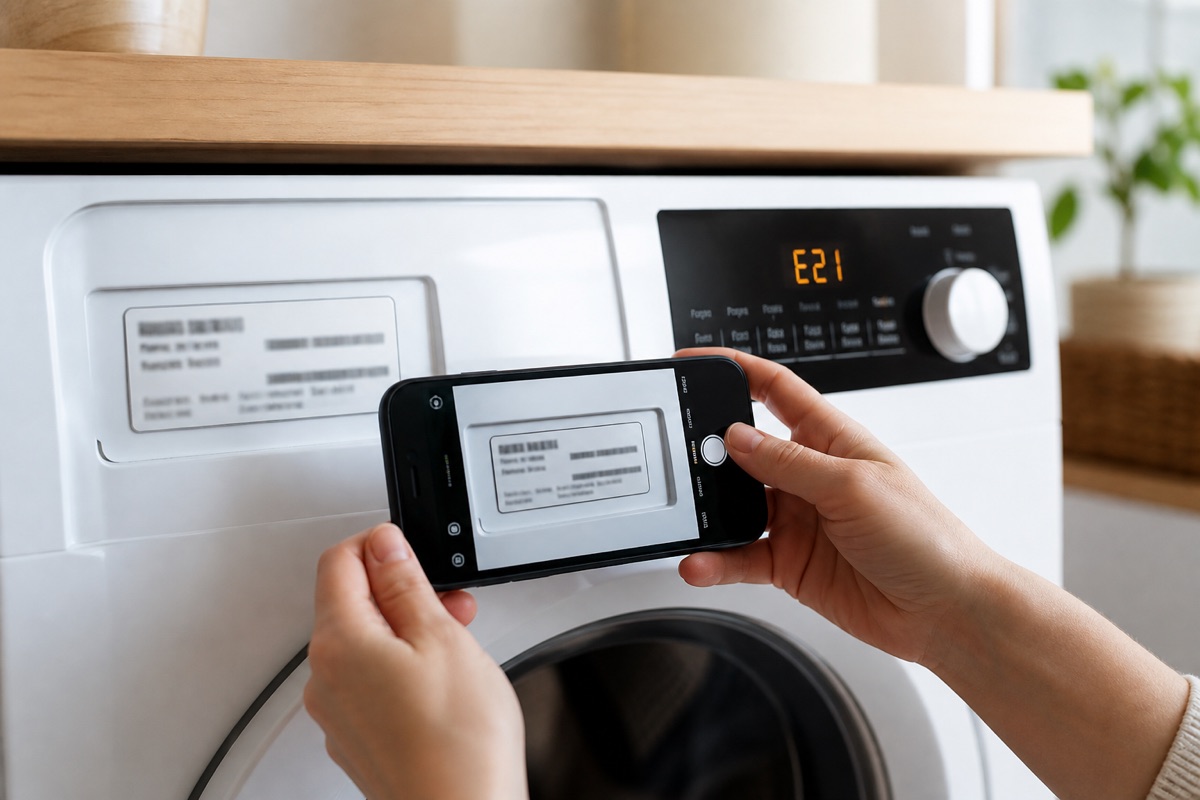
When possible, include the appliance type, brand, model number, exact error code, service address, and a photo of the display. This helps us understand the symptom before the visit and confirm the right service category.
Still Seeing the Error Code?
Send the appliance type, brand, model number, error code, service address, and a photo of the display when available.
$0 service call with approved and completed repair. $79 if no repair is completed.