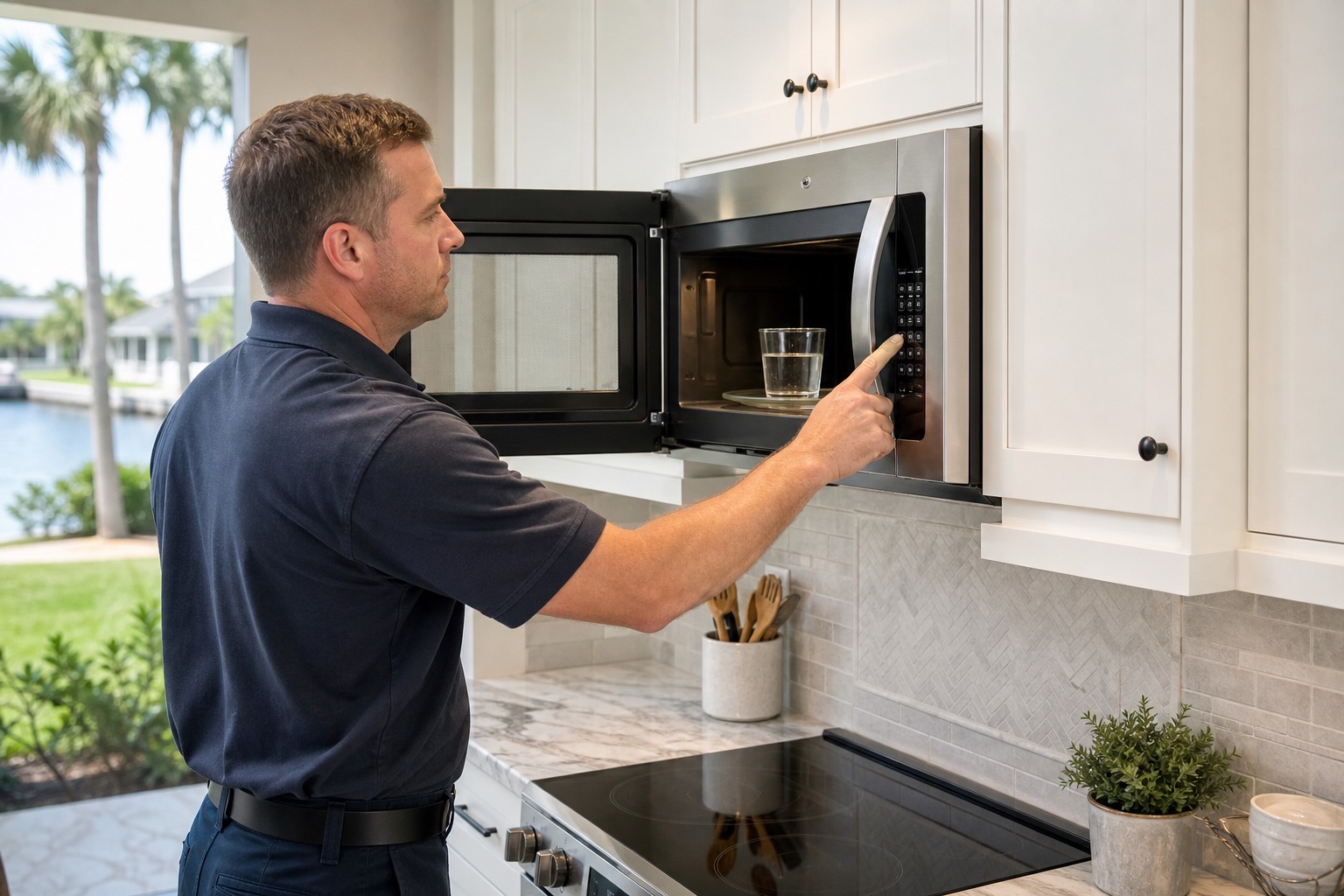
Is the Microwave Producing No Heat or Weak Heat?
Before diagnosing the appliance, determine whether it produces:
- No heat at all.
- Slight warmth but much less heat than normal.
- Intermittent heat.
- Heat only on certain settings.
- Normal heat for a few seconds followed by no heat.
- Uneven heating.
- Heat only after restarting the appliance.
- Heat accompanied by buzzing, arcing, or a burning smell.
A completely cold microwave often has a different failure from one that heats slowly or intermittently.
How a Microwave Produces Heat
A microwave does not use a conventional heating element for normal cooking.
The appliance sends high-voltage power to a magnetron. The magnetron generates microwave energy that enters the cooking cavity through a waveguide. That energy causes water molecules in food to move, producing heat.
The heating system may include:
- Magnetron.
- High-voltage diode.
- High-voltage capacitor.
- High-voltage transformer.
- Inverter board on many newer models.
- Door-interlock switches.
- Thermal cutoffs.
- Control-board relay.
- Wiring and connectors.
The display, interior light, cooling fan, and turntable may continue working even when the high-voltage heating system has failed.
Important Microwave Safety Warning
Settings and User-Control Problems
1. The Microwave Is in Timer Mode
Some microwaves allow the timer to count down without starting a cooking cycle.
The display may appear to be operating normally, but the magnetron does not turn on.
Check whether:
- Timer appears on the display.
- The countdown began after pressing Timer rather than Cook Time.
- The interior light and fan remain off.
- The turntable does not move.
- The appliance beeps when the countdown ends.
Cancel the timer and select a normal cooking cycle.
2. Demo or Showroom Mode Is Active
Demo mode allows the display and controls to operate without producing microwave energy.
This mode may be activated:
- During installation.
- After a power outage.
- During cleaning.
- By accidentally pressing a control combination.
- On a showroom appliance.
Possible signs include:
- Display works normally.
- Cooking time counts down.
- Turntable or fan may operate.
- Food remains completely cold.
- Demo, Showroom, or another indicator appears.
Use the model-specific instructions to exit Demo mode.
3. The Power Level Is Set Too Low
A microwave set to a low power level cycles the magnetron on and off.
At 10% or 20% power, the appliance may run for long periods while producing limited heat.
Check whether:
- Power Level was changed.
- A defrost program is selected.
- A sensor cycle is being used.
- The microwave pauses heating during part of the cycle.
Test the appliance using a normal high-power setting.
4. The Wrong Cooking Program Was Selected
Certain programs are designed for:
- Defrosting.
- Softening.
- Warming.
- Proofing.
- Holding temperature.
- Ventilation only.
These programs may use reduced microwave power or no microwave energy.
Select a standard timed cook cycle at full power to compare performance.
5. The Control Panel Is Locked
A control lock may prevent normal operation or limit certain functions.
Look for:
- Lock icon.
- Control Locked.
- Child Lock.
- Key symbol.
The display may respond while the cooking command is not accepted correctly.
Follow the manufacturer’s instructions to unlock the controls.
Door and Interlock Problems
6. The Door Is Not Closing Completely
A microwave will not safely produce microwave energy unless the door closes correctly.
Check for:
- Food debris around the door.
- Damaged latch hooks.
- Loose door handle.
- Bent hinges.
- Misaligned door.
- Broken latch bracket.
- Packaging or cookware blocking closure.
The door should close firmly without needing excessive force.
Do not operate a microwave with a bent, damaged, or misaligned door.
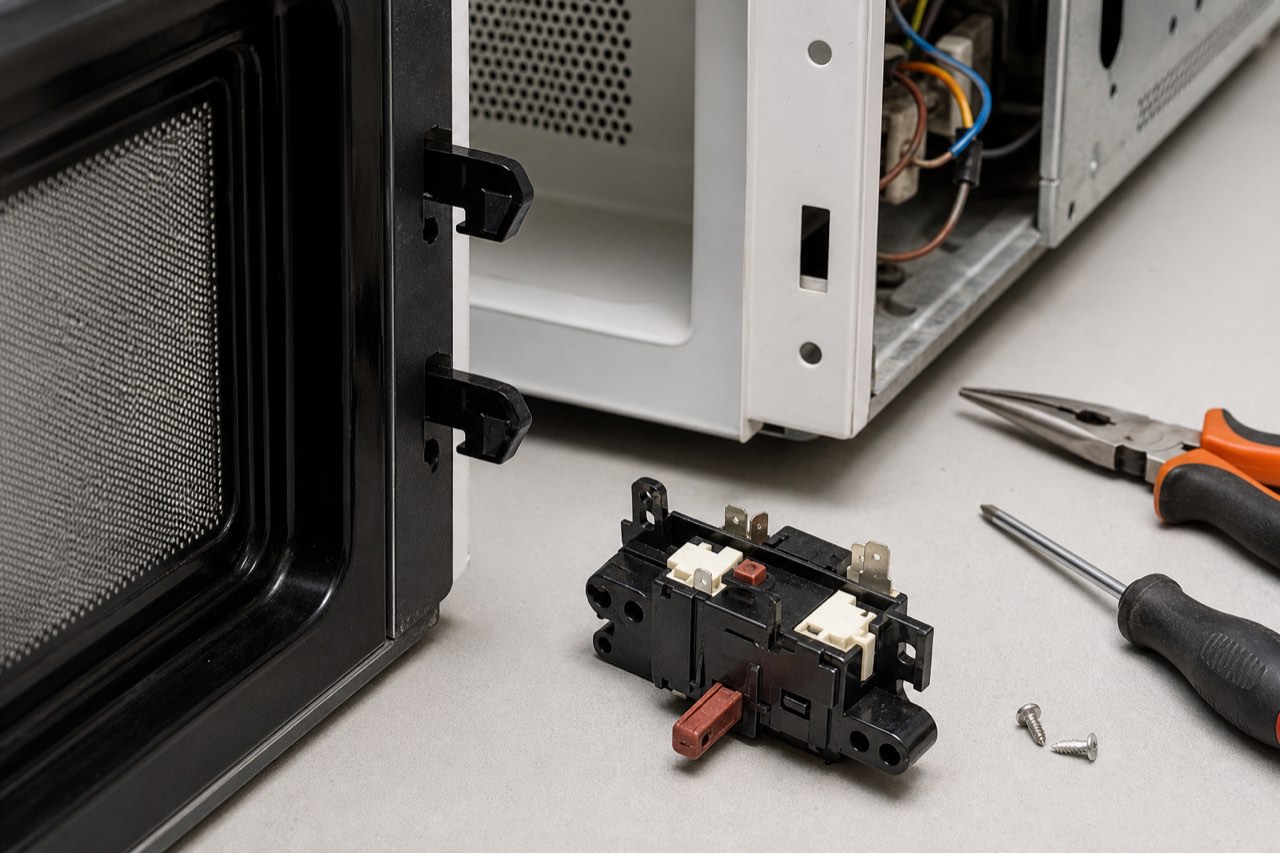
7. A Door Switch Is Faulty
Microwaves commonly use two or three door-interlock switches.
These switches confirm that the door is closed before the high-voltage system activates.
A faulty switch may allow:
- Light to turn on.
- Fan to run.
- Turntable to rotate.
- Display to count down.
while preventing the magnetron from receiving power.
Possible symptoms include:
- Microwave runs but does not heat.
- Appliance works only when pressure is applied to the door.
- Microwave starts when the door is moved.
- Fuse blows when opening or closing the door.
- Intermittent operation.
- Clicking near the latch area.
The switches and latch mechanism must be tested as a complete safety system.
Never bypass a microwave door switch.
8. The Door-Switch Mounting Bracket Is Loose
The switches may be electrically good but not activate at the correct time if the mounting bracket is loose or cracked.
Possible symptoms include:
- Intermittent heating.
- Microwave works when the door is lifted or pushed.
- Repeated clicking.
- Door feels loose.
- Fuse failure.
- Heating stops when the cabinet moves.
The latch hooks, switch bracket, and door alignment should be inspected together.
9. The Door Latch Is Broken
The plastic latch hooks inside the microwave door engage the interlock switches.
If a latch is cracked or worn, the microwave may appear to close without properly activating the switches.
Possible signs include:
- Door does not click firmly.
- One latch hook is missing.
- Door opens too easily.
- Microwave runs inconsistently.
- No heat despite normal controls.
The door or latch assembly may require repair or replacement.
High-Voltage Heating-System Problems
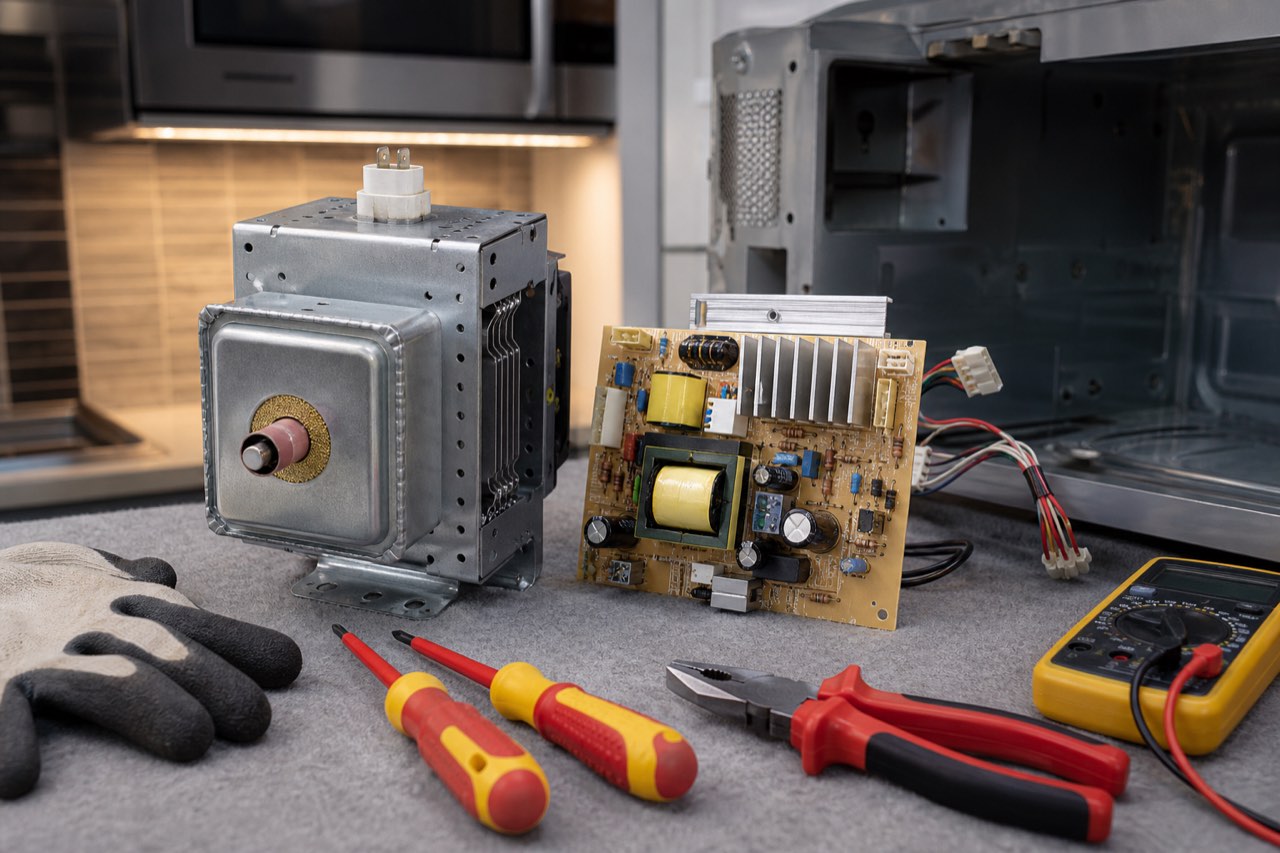
10. The Magnetron Has Failed
The magnetron is the component that produces microwave energy.
A failed magnetron is a common reason a microwave runs but does not heat.
Possible symptoms include:
- Food remains completely cold.
- Loud humming or buzzing.
- Burning smell.
- Microwave heats intermittently.
- Heating stops after several seconds.
- Appliance trips a breaker.
- Magnetron overheats.
- Unusual electrical noise.
A magnetron may fail because of:
- Age.
- Overheating.
- Blocked cooling airflow.
- Operating the microwave empty.
- High-voltage component failure.
- Damaged waveguide cover.
- Electrical surge.
A magnetron should not be replaced until the diode, capacitor, transformer or inverter, thermal protection, and control output are checked.
11. The High-Voltage Diode Is Defective
The high-voltage diode helps convert transformer output into the voltage needed by the magnetron.
If the diode fails, the microwave may:
- Run without heating.
- Produce a loud humming sound.
- Heat weakly.
- Blow a fuse.
- Create an electrical smell.
A diode may fail open or shorted.
It requires specialized testing procedures and should not be handled without proper training.
12. The High-Voltage Capacitor Has Failed
The capacitor works with the transformer and diode to supply the magnetron.
A defective capacitor may cause:
- No heat.
- Loud humming.
- Fuse failure.
- Breaker tripping.
- Burning smell.
- Microwave shutting off shortly after starting.
The capacitor can retain a dangerous charge after power is disconnected.
Do not touch or attempt to discharge it without correct equipment and training.
13. The High-Voltage Transformer Is Failing
Traditional microwaves may use a heavy high-voltage transformer.
A failing transformer may cause:
- Microwave running without heat.
- Loud electrical hum.
- Burning smell.
- Breaker tripping.
- Transformer overheating.
- Fuse failure.
- Intermittent heating.
Transformer diagnosis requires electrical testing and inspection of the connected high-voltage components.
14. The Inverter Board Has Failed
Many newer microwaves use an inverter power supply instead of a conventional high-voltage transformer.
The inverter controls power delivered to the magnetron.
Possible symptoms include:
- Microwave runs but does not heat.
- Heat starts and then stops.
- Appliance works only at certain power levels.
- Error code.
- Microwave shuts down after several seconds.
- Intermittent heating.
- Unusual buzzing.
The inverter, magnetron, control signal, wiring, and power supply should be tested together.
Do not substitute conventional high-voltage components for an inverter system.
15. A High-Voltage Wire or Connector Is Damaged
Loose, burned, or corroded connections can interrupt power to the magnetron.
Possible signs include:
- Intermittent heating.
- Burning smell.
- Visible arcing.
- Melted insulation.
- Darkened terminal.
- Heat working when the microwave is moved.
- Loud electrical noise.
High-voltage wiring must be replaced or repaired using the correct rated components.
Thermal Protection and Cooling Problems
16. A Thermal Cutoff Has Opened
Microwaves use thermal cutoffs or thermostats to protect the magnetron and cooking cavity from overheating.
If a thermal device opens, the microwave may:
- Run without heating.
- Shut down completely.
- Work again after cooling.
- Stop after several minutes.
- Display an overheating error.
Possible causes include:
- Blocked vents.
- Failed cooling fan.
- Overheated magnetron.
- Grease buildup.
- Appliance installed without required clearance.
- Failed high-voltage component.
The failed thermal device and the reason for overheating must both be addressed.
17. The Cooling Fan Is Not Working
The cooling fan removes heat from the magnetron and electrical components.
If the fan fails, the microwave may overheat and stop producing heat.
Possible symptoms include:
- Microwave heats briefly and then stops.
- Appliance shuts off.
- Burning smell.
- Magnetron thermal cutoff opens.
- Little or no airflow from the cabinet.
- Unusual fan noise.
The fan blade, motor, wiring, control output, and ventilation path should be inspected.
18. The Air Vents Are Blocked
Microwaves require airflow around the cabinet and internal components.
Airflow may be restricted by:
- Grease.
- Dust.
- Cabinet installation.
- Objects stored on top.
- Blocked over-the-range vent.
- Incorrect trim-kit installation.
- Damaged fan duct.
Overheating can shorten the life of the magnetron, inverter, and thermal protection components.
19. The Grease Filters Are Severely Clogged
Over-the-range microwaves use grease filters for the ventilation system.
A clogged filter does not usually cause an immediate no-heat condition by itself, but severe restriction can contribute to overheating and component stress.
Clean or replace filters according to the manufacturer’s instructions.
Do not operate the exhaust fan without properly installed filters.
Control and Power Problems
20. The Control-Board Relay Is Not Closing
The electronic control board uses a relay to send power to the heating circuit.
If the relay fails, the display, light, fan, and turntable may work while the magnetron remains off.
Possible symptoms include:
- No heat on any cycle.
- Heating works intermittently.
- Clicking from the control board.
- Heat returns after a reset.
- Burned relay area.
- No output to the transformer or inverter.
The high-voltage components should be tested before the control board is replaced.
21. The Control Board Is Malfunctioning
A control-board failure may affect:
- Heating command.
- Door-switch logic.
- Inverter signal.
- Cooling fan.
- Timing.
- Power-level operation.
- Sensor cycles.
Possible signs include:
- Microwave runs but does not heat.
- Random resets.
- Error codes.
- Intermittent operation.
- Certain buttons fail.
- Heating stops at the same point each cycle.
- Appliance works after disconnecting power.
The board, switches, wiring, and heating system should be diagnosed as a complete circuit.
22. The Microwave Is Receiving Low Voltage
Low household voltage may reduce microwave heating performance.
Possible causes include:
- Loose outlet.
- Extension cord.
- Overloaded circuit.
- Weak breaker.
- Damaged wiring.
- Generator or inverter supply.
- Long electrical run.
Possible symptoms include:
- Microwave heats slowly.
- Interior light dims.
- Motor sounds weak.
- Appliance takes much longer than normal.
- Other devices on the circuit behave abnormally.
The microwave should generally be connected directly to a properly grounded outlet.
Do not use an extension cord unless the manufacturer specifically permits it.
23. The Power Cord or Outlet Is Damaged
A loose or burned connection may allow the microwave to appear operational while reducing available power.
Warning signs include:
- Hot plug.
- Discolored outlet.
- Burning smell.
- Crackling.
- Intermittent operation.
- Breaker tripping.
- Display resetting when cooking begins.
Stop using the appliance if the outlet or cord becomes hot.
24. An Internal Fuse Is Weak or Has Failed
A completely blown line fuse often makes the microwave appear dead.
However, fuse or fuse-holder damage may sometimes cause intermittent operation or failure under load.
Possible signs include:
- Microwave shuts off when Start is pressed.
- Appliance works after cooling.
- Burned fuse holder.
- Intermittent power.
- Fuse fails repeatedly.
A repeated fuse failure usually indicates another problem, such as:
- Door-switch timing issue.
- Shorted capacitor.
- Failed diode.
- Transformer failure.
- Wiring short.
Replacing the fuse without diagnosing the cause may result in another failure.
Cooking and Load Problems
25. The Food Load Is Too Small
A very small amount of food may heat differently than expected.
Microwave ovens are designed to transfer energy into moisture-containing food.
Operating the appliance empty or nearly empty can also stress the magnetron.
Do not run an empty microwave for testing.
A safe basic performance check may use a microwave-safe container with water, following the manufacturer’s instructions.
26. The Container Is Not Microwave-Safe
Some materials block, reflect, or absorb microwave energy.
Problems may occur with:
- Metal containers.
- Foil.
- Metallic decoration.
- Certain insulated cups.
- Thick ceramic containers.
- Damaged cookware.
Use microwave-safe glass or ceramic cookware without metallic trim.
27. The Food Is Extremely Cold or Frozen
Frozen food may require:
- Defrosting.
- Stirring.
- Turning.
- Standing time.
- Longer cooking time.
- A different power level.
A microwave may be working normally even when a dense frozen item remains cold in the center.
28. The Turntable Is Not Rotating
A stopped turntable usually causes uneven heating rather than complete loss of heat.
Possible causes include:
- Turntable motor failure.
- Broken coupler.
- Tray installed incorrectly.
- Roller ring obstruction.
- Turntable setting turned off.
If one side of the food heats while another remains cold, the turntable system may be involved.
29. The Stirrer Fan Is Not Distributing Energy
Some microwaves use an internal stirrer blade to distribute microwave energy.
If it stops or becomes damaged, food may heat unevenly.
Possible symptoms include:
- Hot and cold spots.
- One area of food heating normally.
- Repeated arcing near the waveguide.
- Unusual noise.
The stirrer system is normally located behind an internal cover and should be inspected by a technician.
Waveguide and Cavity Problems
If you saw sparks, start with the sparking and stop-use guide
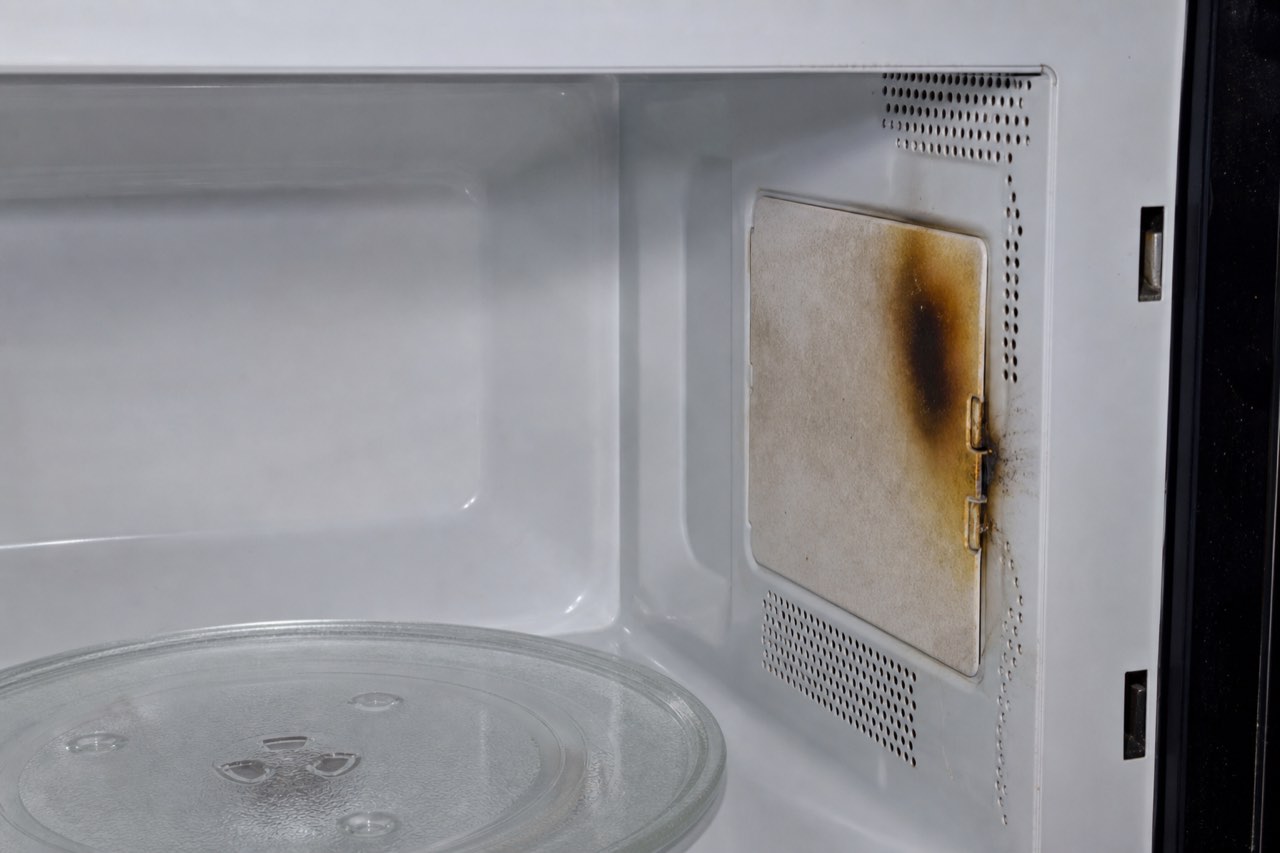
30. The Waveguide Cover Is Burned or Damaged
The waveguide cover protects the opening that directs microwave energy into the cavity.
Grease or food residue can cause it to burn or arc.
Possible signs include:
- Sparks.
- Burning smell.
- Dark marks.
- Crackling.
- Reduced heating.
- Visible hole or damaged cover.
Stop using the microwave if arcing occurs.
A damaged cover may be replaceable, but the cavity and magnetron antenna should also be inspected.
31. The Microwave Cavity Is Damaged
Rust, burned paint, holes, or severe arcing damage inside the cavity may make the microwave unsafe.
Inspect for:
- Exposed metal.
- Deep corrosion.
- Burned seams.
- Holes.
- Damaged door frame.
- Repeated arcing marks.
Keep a visibly damaged microwave out of use and ask the manufacturer or a qualified service provider about the exact model. Repair limits differ: GE’s cavity guidance, linked in our sparking guide, does not approve interior coating repairs and calls for replacement for cavity holes or actively peeling coating.
32. Metal or Foil Caused Arcing
Metal objects can reflect microwave energy and create sparks.
Common causes include:
- Foil.
- Twist ties.
- Metallic dishes.
- Utensils.
- Takeout containers.
- Gold or silver trim.
- Rack installed incorrectly.
Stop the microwave immediately if arcing occurs.
If there is a fire, keep the door closed and follow the emergency steps in our sparking guide. Only inspect visible surfaces after there is no ongoing smoke or fire and the microwave has cooled. Do not restart if damage is visible or the cause remains unclear.
What Can You Safely Check?
Before scheduling service, you can:
- Confirm that Demo mode is off.
- Make sure Timer mode is not selected.
- Test a standard cook cycle at full power.
- Verify that the control lock is off.
- Check whether the door closes firmly.
- Inspect the latch hooks for visible damage.
- Confirm the microwave is connected directly to a working outlet.
- Avoid using an extension cord.
- Check the cavity for metal, foil, burn marks, or arcing damage.
- Make sure the turntable is installed correctly.
- Clean accessible grease filters.
- Check whether the cooling fan and normal operating sounds are present.
- Record any error code.
- Reset the microwave once by disconnecting power for approximately five minutes.
Do not remove the outer cabinet.
Do not test or touch the capacitor, magnetron, diode, transformer, or inverter.
When Should You Stop Using the Microwave?
Stop using the microwave and disconnect power when:
- Sparks or arcing occur.
- You smell burning plastic or wiring.
- Smoke is present.
- The breaker repeatedly trips.
- The outlet or cord becomes hot.
- The door is damaged or does not close correctly.
- The microwave starts with the door open.
- Heating continues after the cycle is canceled.
- Loud electrical buzzing begins.
- The waveguide cover is burned.
- The appliance shuts off repeatedly from overheating.
A microwave that can operate with the door open must not be used.
When Should You Call a Microwave Technician?
Professional diagnosis is recommended when:
- The microwave runs but food remains completely cold.
- Demo mode and settings are correct.
- The door closes but heating remains intermittent.
- A loud hum occurs without heat.
- Heating stops after several seconds.
- The microwave displays an inverter or magnetron error.
- A door switch appears unreliable.
- The breaker or internal fuse repeatedly opens.
- The cooling fan is not running.
- The appliance produces a burning smell.
- The waveguide cover is damaged.
- An over-the-range or built-in microwave requires removal.
A technician can test the door switches, control board, relay, magnetron, diode, capacitor, transformer, inverter, thermal cutoffs, cooling fan, wiring, and power supply.
Should You Repair or Replace the Microwave?
Repair may be reasonable when the problem involves:
- Door switch.
- Door latch.
- Control relay.
- Thermal cutoff.
- Cooling fan.
- Inverter board.
- Magnetron.
- Power connection.
- Waveguide cover.
Repair is usually more practical for:
- Over-the-range microwaves.
- Built-in microwaves.
- Microwave wall-oven combinations.
- Premium models.
- Appliances with matching cabinetry.
Replacement may be more practical when:
- It is a low-cost countertop microwave.
- The cavity is badly rusted or burned.
- The door or frame is structurally damaged.
- Several high-voltage components have failed.
- Replacement parts are discontinued.
- Repair cost approaches the cost of a comparable new unit.
A complete diagnosis is needed before deciding.
Photo guide
Diagnostic Photos
Local Microwave Service
Relevant local service pages include microwave repair in Cape Coral, Fort Myers, North Fort Myers microwave repair, and Lehigh Acres microwave repair. We also serve surrounding Southwest Florida service areas.
For scheduling, use the Contact page or call/text Art’s Appliance Repair directly.
Related Appliance Guides
Microwave
Microwave Sparks Inside: What to Do Before Using It Again
Microwave sparking with or without metal? Know when to stop, what you can check once it is cool, and what to share when requesting local microwave repair.
Updated September 13, 2026
Microwave sparks inside: what to do before using it againNeed service?
Microwave Repair in Cape Coral, Fort Myers and Southwest Florida
Art’s Appliance Repair provides microwave diagnostics and repair throughout Cape Coral, Fort Myers, North Fort Myers, Lehigh Acres, Estero, Bonita Springs, Naples, and surrounding Southwest Florida communities.
Service availability may depend on the microwave type, installation, model, and parts availability.
We diagnose microwave problems including:
- Microwave runs but does not heat.
- Weak or intermittent heating.
- Failed door switches.
- Door-latch problems.
- Magnetron failures.
- High-voltage diode and capacitor problems.
- Transformer and inverter failures.
- Control-board and relay problems.
- Cooling-fan failures.
- Microwave arcing or sparking.
- Over-the-range microwave failures.
- Built-in microwave problems.
Call or text (239) 688-9955 to ask about microwave service for your model.
Service call: $0 with an approved repair. A $79 diagnostic fee may apply if the repair is declined. Different diagnostic pricing may apply to built-in or difficult-access appliances.
View Microwave Repair